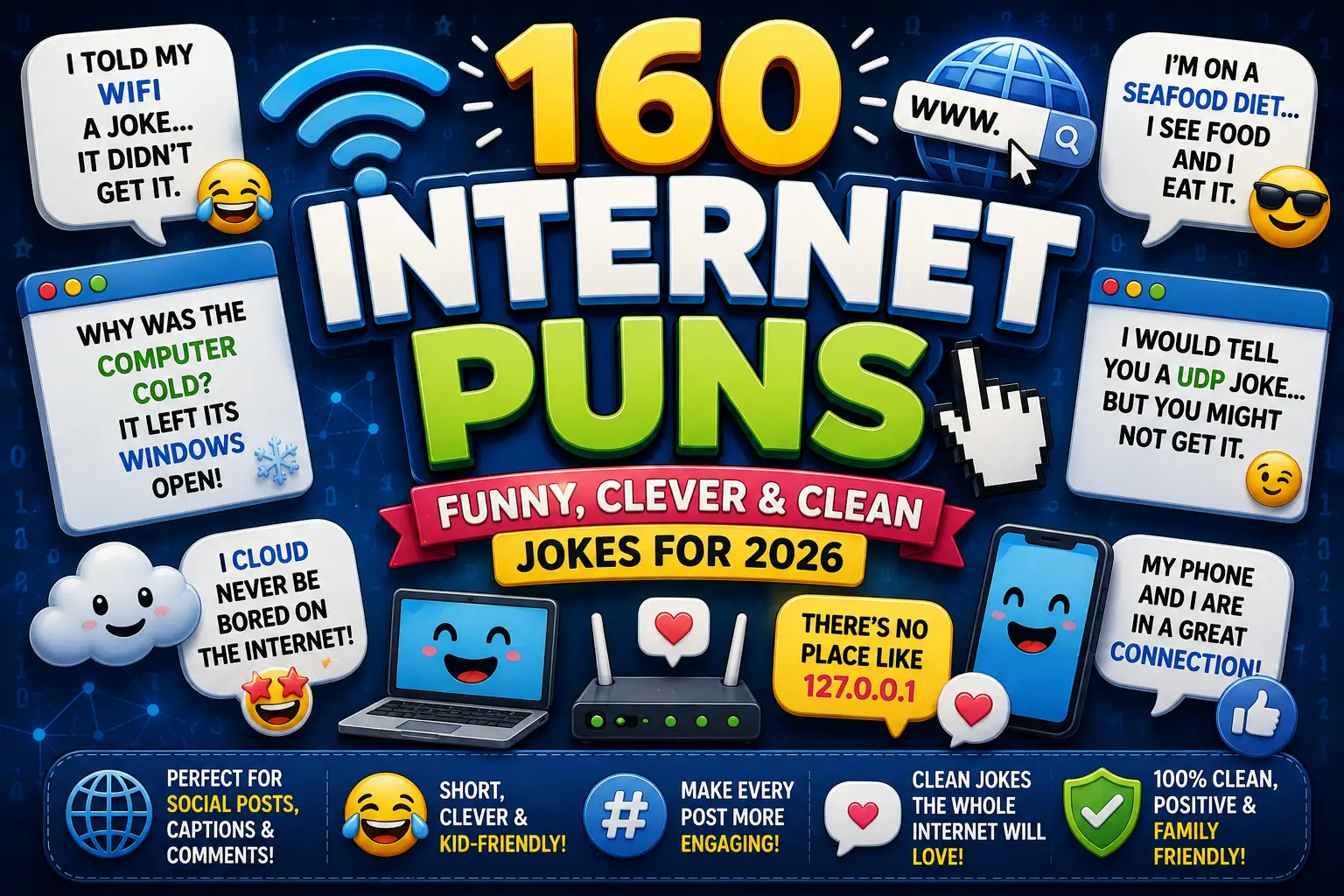
160 Best Internet Puns That Are Funny, Clever & Shareable
Looking for internet puns you can actually use?
This collection brings together funny one-liners, clever web jokes,
Wi-Fi puns, browser humor, captions, work jokes, kid-friendly lines,
and silly network names.
Whether you’re posting on Instagram, texting a friend, naming your Wi-Fi,
or trying to survive another buffering screen, you’ll find something that fits.
The jokes stay clean, easy to understand, and shareable
without relying on the same tired punchline again and again.
Quick Answer
💡 What Are Internet Puns?
Internet puns are jokes built around online life,
including Wi-Fi, browsers, websites, email, streaming, passwords,
tabs, links, downloads, and social media.
This collection includes 160 original internet jokes and
one-liners for captions, kids, work, group chats,
network names, and everyday digital life.
The best puns connect technology with familiar everyday situations.
Which Internet Puns Should You Choose?
Different jokes work for different situations. Use this quick guide
to jump to the style that fits what you’re writing.
You Need
Best Type of Internet Pun
Quick text or comment
Short internet one-liner
Instagram post
Internet caption
Home network name
Wi-Fi or router pun
Classroom joke
Internet pun for kids
Office chat
Work-safe internet joke
Tech-loving friend
Clever browser or website pun
Friendship post
Connection-themed pun
Streaming post
Buffering or streaming joke
Best Internet Puns
These best internet puns cover everyday online experiences
without getting too technical. They’re good choices when you simply need
an easy joke for a text, post, or conversation.
I opened one tab for productivity, and somehow it invited 23 friends.
My internet knows me well; it disappears whenever I need support.
I tried organizing my digital life, but every folder had other plans.
The web and I are close—we’re always getting tangled up together.
My computer suggested a break, so naturally I refreshed the page instead.
I went online for five minutes and returned three snacks later.
The internet never forgets, but my password manager sometimes does.
My browser isn’t nosy; it just has a lot of history.
I finally reached inbox zero, then woke up.
Online shopping taught me that adding to cart is easier than adding to savings.
Funny Internet Puns
The internet creates plenty of comedy without trying. Slow connections,
forgotten passwords, endless notifications, and mysterious errors make
perfect setups for funny internet puns.
My Wi-Fi and I are taking some space—it keeps becoming unavailable.
I told the internet to hurry up. It said my request was still loading.
My password is emotionally secure but technically questionable.
I cleared my browser history, but the embarrassing memories stayed.
My router works best when threatened with replacement.
I searched for self-control and somehow ended up shopping again.
My internet connection practices magic—it disappears whenever guests arrive.
I clicked “remember me,” and the website took that more seriously than most people.
My computer asked if I was human. Some mornings, I’m not completely sure.
I logged off to find myself, then Googled directions.
Short Internet Puns and One-Liners
Sometimes the best joke only needs a few words. These
short internet puns work especially well in comments,
messages, bios, captions, and group chats.
Currently operating on low bandwidth.
My patience has timed out.
Consider this my web break.
Too many tabs, zero regrets.
Offline body, online thoughts.
My plans are still downloading.
Refreshing my attitude now.
That’s a site for sore eyes.
I’m emotionally password-protected.
Today needs a faster connection.
Clever Internet Puns
Clever internet puns work by giving familiar online
terms a second meaning. They fit tech-loving friends, smart captions,
or anyone who prefers wordplay over simple punchlines.
I wanted closure, but my browser kept reopening the tab.
The website became a therapist because everyone brought it unresolved issues.
My cookies know more about my preferences than some relatives do.
I joined the cloud because my ideas needed more room to float.
My browser studies the past because it has such an extensive history.
I gave my password confidence lessons; now it has stronger characters.
The hyperlink became a matchmaker—it was excellent at connecting people.
My download started a meditation class because it needed patience.
The search bar became a detective; everyone brought it questions.
My cache enjoys keeping things because it hates letting go.
Wi-Fi and Router Puns
Nothing turns people into amateur technicians faster than disappearing
Wi-Fi. These router and signal jokes turn those frustrating
little moments into usable wordplay.
My router and I communicate through blinking lights and mutual disappointment.
The Wi-Fi wanted attention, so it started sending mixed signals.
My router is very grounded for something that works wirelessly.
I moved closer to the router, and suddenly our relationship improved.
My Wi-Fi believes in mystery; the password is part of the experience.
The router joined a band because it already knew how to handle signals.
My signal has commitment issues—it gets weaker when I get closer to deadlines.
I complimented my router, hoping positive reinforcement would increase the speed.
My Wi-Fi likes hide-and-seek, but I’m tired of always being “it.”
The router doesn’t argue; it simply disconnects from the conversation.
Browser and Tab Puns
Browser tabs are where productivity plans go to multiply. These
browser puns work especially well for students, writers,
researchers, remote workers, and serial tab-openers.
My browser has a social life; every tab brings another tab.
I closed three tabs today. Please respect my progress.
My tabs aren’t clutter—they’re unfinished conversations.
My browser needs boundaries, but I keep clicking “open in new tab.”
One tab was for work. The other 38 were emotional support tabs.
My browser knows I’m indecisive because every option stays open.
I asked my tabs to leave quietly. Several refreshed in protest.
My browser history reads like someone lost control of a search bar.
I keep important tabs open so I can ignore them professionally.
My computer has plenty of memory; I just don’t trust myself to close anything.
Website, Link, and 404 Puns
Websites bring their own vocabulary for comedy. Links, URLs,
homepages, clicks, domains, and 404 errors can all become
punchlines without needing a computer science degree.
I followed a suspicious link, but it led nowhere. Total clickbait-and-switch.
The website moved away and forgot to leave a forwarding URL.
My motivation returned a 404 error this morning.
The homepage loves hosting because everyone eventually comes over.
The broken link couldn’t maintain a long-distance connection.
I asked the webpage for directions. It told me to follow the links.
The website joined real estate because it already owned a domain.
My weekend plans returned “page not found.”
The hyperlink got promoted because management valued its connections.
I refreshed my goals, but the new version still needs work.
Email, Inbox, and Spam Puns
An overflowing inbox can be annoying, but it’s also excellent joke material.
These email puns work for office chats, newsletters,
coworkers, students, and anyone avoiding unread messages.
My inbox has a storage problem and absolutely no shame about it.
I marked adulthood as spam, but it keeps reaching my inbox.
My email drafts are where confident sentences go to reconsider everything.
The inbox threw a party and invited 700 unread messages.
I emailed my future self, but apparently I’m still waiting for a reply.
My spam folder deserves an award for handling unwanted attention.
The attachment felt needy because it always had to come along.
My inbox and I agreed to start fresh. Then Monday happened.
I write “quick email” right before producing a small novel.
The unsubscribe button is the most satisfying goodbye on the internet.
Social Media and Meme Puns
Scrolling, posting, liking, sharing, commenting, and meme culture create
endless opportunities for social media puns. These work
in group chats and casual posts without depending on temporary trends.
I posted my responsibilities, but nobody liked them.
My attention span follows a strict one-scroll policy.
I came for one meme and somehow attended an entire internet festival.
My feed understands me better than my grocery list does.
I don’t chase trends; I accidentally scroll into them.
The meme applied for a promotion because it kept getting shared.
My phone says my screen time is high. I call that audience engagement.
I liked the post emotionally before I remembered to tap the button.
My group chat has more plot twists than my streaming queue.
I tried leaving social media early, but one more scroll filed an appeal.
Streaming and Buffering Puns
Few digital experiences test patience like buffering at the best part of
a show. These streaming jokes work for movie nights,
binge-watching posts, gaming chats, and slow-internet complaints.
My show froze during the big reveal. Even the internet hates spoilers.
Buffering is just my screen building dramatic suspense.
My streaming service asked if I’m still watching. Please respect my privacy.
I planned to watch one episode. Autoplay had different career goals for me.
My connection waited until the exciting part to develop stage fright.
Streaming taught me patience one spinning circle at a time.
My movie night turned into a loading-screen documentary.
I paused the show for a snack and returned with a full meal.
The buffering icon has had more screen time than the main character.
My internet believes every cliffhanger deserves an extra five-minute break.
Internet Puns for Instagram Captions
A good caption should work without an explanation. These
internet captions are short enough for Instagram,
photo dumps, selfies, tech posts, travel updates, and everyday online humor.
Just refreshing my outlook.
Good mood, questionable connection.
Online, on point, occasionally buffering.
Caught in a web of good ideas.
Too connected to disconnect.
Loading better decisions.
Posting before I overthink it.
Strong signal, stronger coffee.
Another day in my favorite browser tab.
Uploading memories, one post at a time.
Internet Dad Jokes
Internet dad jokes should earn an eye roll without needing
a long explanation. These clean jokes lean into obvious wordplay,
silly logic, and proudly corny punchlines.
Why did the browser carry a suitcase? It was ready to explore new sites.
Why did the router sit by the window? It wanted a better outlook.
Why was the webpage confident? It had plenty of links to support it.
Why did the password visit the gym? It wanted stronger characters.
Why did the email bring a backpack? It had several attachments.
Why was the browser good at storytelling? It had a long history.
Why did the website buy a house? It wanted its own domain.
Why did the computer skip lunch? It already had plenty of bytes.
Why was the cloud invited everywhere? It was always floating around.
Why did the link get invited to every party? It knew how to connect people.
Internet Puns for Kids
These internet puns for kids use simple vocabulary
and clean punchlines. They can work in classrooms, school projects,
family chats, or joke-of-the-day activities.
What does a computer eat for a snack? Little bytes.
Why did the mouse sit beside the computer? It felt right at home.
What did the website say before dinner? Let’s grab a byte.
Why did the computer wear glasses? It wanted a clearer screen.
What does a happy laptop say? I’m having a great click.
Why did the tablet bring a pencil? It wanted to draw online.
Why was the email excited? It had something to send.
What game does a router enjoy? Connect the dots.
Why did the browser visit school? It wanted to learn new subjects.
What did one webpage tell another? I’ll link up with you later.
Internet Puns for Work and Office Chats
Workplace humor needs a slightly different tone. These
work-safe internet jokes are clean enough for team chats,
remote meetings, emails, and those afternoons when everyone’s motivation
starts buffering.
My productivity has excellent Wi-Fi but refuses to connect.
I’m not ignoring the email; I’m giving it time to develop character.
My calendar and inbox are competing for employee of the month.
This meeting could have been an email, but my inbox asked not to be involved.
My workday has 47 tabs and no clear homepage.
I’m currently downloading enough motivation to finish the afternoon.
The project is moving forward—just at dial-up confidence.
My brain has entered professional buffering mode.
I clicked “reply all” and immediately began reconsidering my life choices.
Remote work: professionally connected, emotionally three snacks away.
Funny Wi-Fi Names and Network Puns
A funny Wi-Fi name works best when it’s short, readable,
and not based on private information. These fresh options avoid the
recycled network names that have been circulating online for years.
Signal and the City
The Loading Residence
Connection Collection
Buffering Headquarters
Neighborhood Netiquette
Router Around the Rosie
The Password Playground
House of High Bandwidth
No Signal Drama
Click Here Eventually
🔐 Wi-Fi Safety Tip
For a home network, choose a name guests can recognize easily.
Avoid putting private details such as your full name, address,
phone number, or other identifying information into a public-facing
network name.
Cute Internet Puns About Connection and Friendship
Internet vocabulary works surprisingly well for friendship and relationship
captions. These cute internet puns keep the connection
theme warm without turning every line into the same Wi-Fi joke.
You make every ordinary day worth bookmarking.
We clicked before either of us knew the password.
You’re the favorite tab I never want to close.
Good friends don’t need perfect signals to stay connected.
You’re the link between my bad day and a better mood.
Our friendship deserves unlimited bandwidth.
I’d save you to favorites every time.
You make my world feel a little less offline.
Some connections don’t need refreshing.
Life loads better with friends like you.
How to Make Your Own Internet Puns
The strongest internet jokes usually start with a word
that already has two meanings. Think of terms such as
connection, link, history, cookies, tabs, cloud, address,
domain, attachment, refresh, browse, stream, and cache.
Start with the normal meaning, then twist it toward online life.
A browser has “history,” an email has an “attachment,” and friends
can have a “connection.” That overlap gives you a natural punchline
without forcing technical jargon into the joke.
1
Start With an Internet Word
Choose a familiar term such as browser, tab, link, cookie, cloud,
stream, router, password, inbox, or download.
2
Find Its Second Meaning
For example, attachment can describe an email file
or an emotional bond. History can describe past
events or a browser record.
3
Build Around a Real Situation
The joke becomes stronger when readers recognize the behavior.
Instead of:
The browser was funny because it browsed.
Try:
My browser knows I’m indecisive because I never close a tab.
💡 Quick Pun-Writing Tip
The best internet puns usually combine a familiar digital term with
a relatable everyday situation. If readers understand the setup
immediately, the punchline has a much better chance of landing.
FAQs About Internet Puns
What are internet puns?
Internet puns are jokes and wordplay based on online
terms or digital experiences. Common subjects include Wi-Fi, browsers,
websites, links, passwords, email, streaming, social media, downloads,
and buffering.
The best examples connect a digital term with an everyday meaning,
making the joke easy to understand even for readers who aren’t tech experts.
What are some short internet puns?
Good short options include “My patience has timed out,”
“Refreshing my attitude,” and
“My plans are still downloading.”
Short lines usually work best for texts, comments, profile bios,
photo captions, and quick replies.
What makes a good internet pun?
A good internet pun has a clear connection to something people
actually experience online. It should also have a punchline readers
understand without needing an explanation.
Words with double meanings—such as
connection, history, attachment, tabs, cookies, links,
and cloud—are especially useful for natural wordplay.
Can I use internet puns for Instagram captions?
Yes. Short internet puns for Instagram work well
with selfies, tech photos, work-from-home posts, travel pictures,
gaming setups, and casual photo dumps.
Choose something brief enough to stand on its own instead of using
a long setup-and-punchline joke.
Which internet puns are suitable for kids?
Simple jokes about computers, mice, browsers, websites, emails,
and “bytes” are usually easiest for children to understand.
Avoid jokes that depend on adult themes, insults, private browsing
references, or complicated technical language when writing for younger readers.
Are internet jokes appropriate for work?
Many are. Stick with jokes about email, meetings,
browser tabs, buffering, remote work, inboxes, and productivity.
Avoid jokes that could embarrass a coworker or make fun of someone’s
technical ability. A workplace joke should make the situation funny,
not the person.
How can I create an original internet pun?
Start with an online word that also has an everyday meaning.
Then place it in a situation where both meanings make sense.
For example, a browser has a history, an email can
have an attachment, and people can
connect. The more naturally those meanings overlap,
the better the pun usually sounds.
Conclusion
The best internet puns turn everyday online frustrations
and habits into something worth sharing. Wi-Fi problems, crowded browser
tabs, overloaded inboxes, streaming delays, social feeds, passwords,
websites, and group chats all offer plenty of room for fresh wordplay.
Choose a short line for a caption, a clean joke for work or school,
or a silly network name for home. And when you’re making your own,
start with a familiar digital moment—the most relatable internet jokes
usually need the least explanation.




Social Media and Meme Puns
Scrolling, posting, liking, sharing, commenting, and meme culture create endless opportunities for social media puns. These work in group chats and casual posts without depending on temporary trends.